
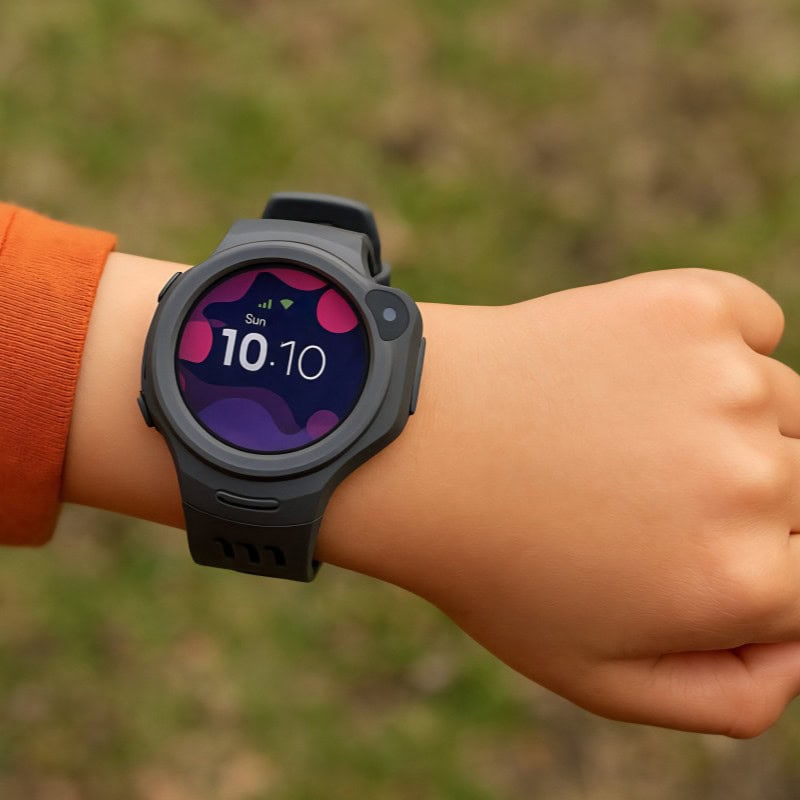
This review is based on our family’s first-hand experience of using the MyFirst Fone R1 when my children were younger. We no longer own the watch, so current pricing, availability and software features may have changed since our original testing.
When my boys were younger, finding the right balance between giving them independence and knowing they were safe was always important to me. I wanted them to enjoy a little more freedom without necessarily needing their own mobile phones.
That’s where the MyFirst Fone R1 came in. This 4G kids’ smartwatch combines GPS location tracking, voice and video calling, an SOS feature and even a music player in one child-friendly device.
We had the opportunity to test the MyFirst Fone R1 as a family, and our experience was very positive. The boys particularly enjoyed the communication and entertainment features, while I appreciated being able to stay in touch when they were out and about.
My boys have since outgrown this type of smartwatch, so we no longer use it. However, looking back at our experience, I still think it’s worth sharing what we liked, how the features worked for us and what parents should consider before choosing one for their own children.
What Is the MyFirst Fone R1?
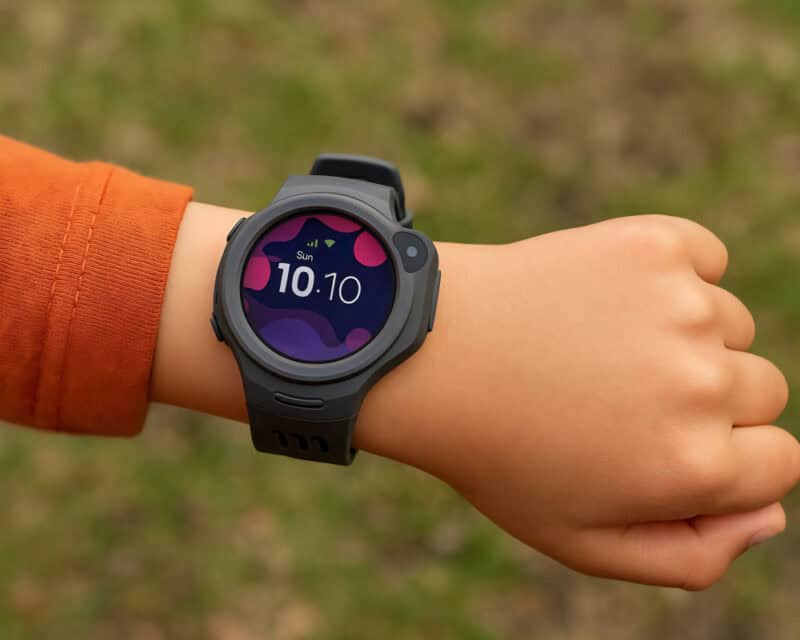
The MyFirst Fone R1 is a 4G smartwatch designed for children aged approximately 5–12. It combines the communication features of a mobile phone with GPS location tracking, allowing children to enjoy more independence while giving parents a way to stay connected.
Unlike a traditional smartphone, the R1 doesn’t have an unrestricted internet browser or access to social media apps. Instead, children can make voice and video calls, exchange messages with approved contacts and use features such as the built-in music player and step counter.
Parents manage communication and location tracking through the MyFirst Circle app, which provides control over who can contact their child.
For us, the biggest attraction was being able to stay in touch with the boys without giving them full access to a smartphone at such a young age. It offered a practical middle ground between independence and parental supervision.
Although the R1 is an older model, its combination of communication, GPS tracking and child-friendly features made it a useful introduction to wearable technology when we tested it.
Key Features of the MyFirst Fone R1 Kids Watch Phone

Advanced GPS Tracker Technology
One of the main reasons we were interested in the MyFirst Fone R1 was its GPS location tracking. When the boys were younger, it was reassuring to have a way to check their whereabouts as they started enjoying a little more independence.
The watch uses GPS, Wi-Fi and mobile network positioning to provide location information through the companion app. Parents can check their child’s approximate location and set up designated safe zones, such as home or school, with notifications when the watch enters or leaves those areas.
I particularly liked the idea of having this additional connection without needing to give the boys their own smartphones.
As with any GPS smartwatch, location accuracy can vary depending on network coverage, nearby buildings and whether the child is indoors or outdoors. It’s also important to remember that GPS tracking is an additional reassurance rather than a replacement for appropriate supervision.
4G Voice and Video Calls
One of our favourite features of the MyFirst Fone R1 was the ability to make voice and video calls without needing a traditional mobile phone.
The watch supports 4G connectivity, allowing children to communicate with approved contacts through the MyFirst Circle app. For parents who aren’t quite ready to give their children a smartphone, this offers a useful alternative.
When we tested the R1, we were particularly impressed with the video call quality. Whether my son was showing me something while out on a walk or checking in from a friend’s house, I could see and hear him clearly.
I loved that the boys could contact us when they needed to, while still having the freedom to enjoy their activities without carrying a smartphone.
Of course, call quality depends on mobile network coverage, so parents should check connectivity in their area before purchasing. However, based on our experience, the calling features were one of the watch’s biggest strengths.
SOS Function for Emergencies
One of the most reassuring features of the MyFirst Fone R1 is its built-in SOS function, designed to help children contact their designated emergency contacts when they need assistance.
According to the watch’s instructions, children can activate the SOS feature by pressing and holding the designated button for approximately three seconds. The feature is designed to alert registered emergency contacts and share location information through the connected app.
As a parent, I appreciated knowing that the boys had an additional way to reach us if they felt worried or needed help while away from home.
Although we thankfully never needed to use the SOS function in a genuine emergency, it was reassuring to have that option available.
Parents should familiarise themselves with the SOS settings, check that emergency contacts are correctly configured and test the feature according to the manufacturer’s instructions.
It’s also worth remembering that SOS alerts depend on factors such as battery life, mobile connectivity and the watch’s current location data. The feature should be viewed as an additional communication tool rather than a guarantee of immediate assistance.
MP3 Music Player & Fitness Tracker
While the GPS tracking and communication features were the biggest attractions for me as a parent, the MyFirst Fone R1 also had some fun extras that made it much more appealing to the boys.
The built-in MP3 player allowed them to listen to their favourite music without needing a separate smartphone. The watch was advertised as having storage for up to 500 songs, although the actual number depends on the size of the music files.
It also includes a step counter, giving children a simple way to keep track of their daily activity. This was particularly appealing for our active family, especially during school holidays and family walks.
I liked that the R1 wasn’t simply a device for parents to check their children’s whereabouts. It offered features the boys could enjoy for themselves, making them more enthusiastic about wearing it.
For families with active children, these additional features help make the R1 feel more like a fun smartwatch than just a GPS tracking device.
MyFirst Fone R1 Design, Comfort and School Mode

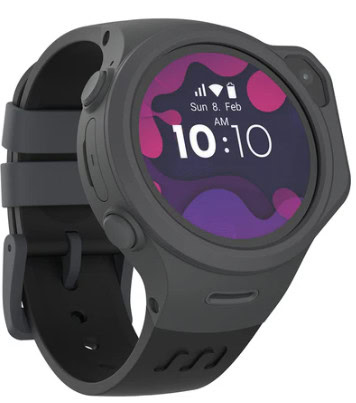
The MyFirst Fone R1 features a round watch face, giving it the appearance of a traditional smartwatch rather than a miniature mobile phone.
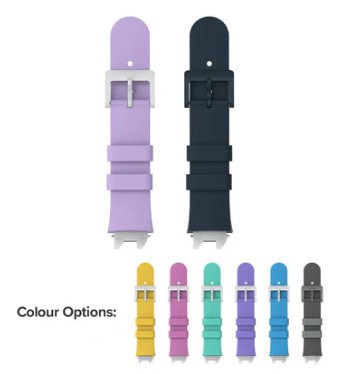
Designed specifically for children, it has an adjustable strap and a raised edge around the screen to help protect it from everyday knocks and bumps.
When we used the R1, I liked that it combined practical safety and communication features with a design that appealed to the boys. It felt like something they could enjoy wearing rather than simply a device we wanted them to carry.
Another useful feature is Class Mode, which allows parents to restrict certain watch functions during school hours. This helps minimise distractions during lessons while allowing children to continue wearing their watch throughout the school day.
The R1 also includes a watch removal notification feature, designed to alert parents when the device is taken off.
For parents considering a smartwatch for school, I’d recommend checking the school’s policy before purchasing. Some schools restrict smartwatches, particularly those with cameras, calling capabilities or location tracking.
Overall, the R1 offered a good combination of child-friendly design and practical features during the time we used it.
How the R1 Kids Smartwatch Worked in Real Life
For me, the real test of any children’s gadget is how well it fits into everyday family life. A product can have an impressive list of features, but that doesn’t necessarily mean it’s practical when you’re juggling school runs, activities and family days out.
We used the MyFirst Fone R1 during school runs, visits to the park and even a short family camping trip. It gave the boys another way to stay in touch with us while enjoying a little more independence.
One of the biggest successes was the video calling feature. My son enjoyed being able to show me what he was doing, whether he was out on a walk or visiting a friend’s house. I found the picture and sound quality surprisingly good for a children’s smartwatch.
The music player was another popular feature, giving the boys something they could enjoy independently of the watch’s communication functions.
From my perspective, the biggest benefit was having a way to contact the boys without needing to give them their own smartphones. It felt like a sensible introduction to technology at an age when they were becoming more independent.
Looking back, we had a very positive experience with the MyFirst Fone R1. We no longer have the watch because the boys have grown out of this stage, rather than because we were unhappy with it.
For families considering a first smartwatch for their children, I think that distinction is important. The R1 served its purpose well for us during the time we used it.
Things to Know Before You Buy
Although we had a very positive experience with the MyFirst Fone R1, there are a few practical things worth considering before choosing this smartwatch for your child.
SIM Card and Mobile Connectivity
The MyFirst Fone R1 uses a mobile connection for features such as calling and location tracking. When we tested the watch, we used a pay-as-you-go SIM card.
Before buying, check the manufacturer’s current guidance on compatible SIM cards, mobile networks and data requirements. You’ll also want to consider any ongoing connectivity costs.
Battery Life
The R1 was advertised as offering approximately 8–10 hours of battery life with moderate use, although actual performance depends on how frequently features such as GPS tracking, video calling and music playback are used.
For parents, it’s worth considering whether the battery capacity will suit their child’s daily routine, particularly if they’ll be wearing the watch throughout the school day or during activities.
Mobile Network Coverage
As the R1 relies on mobile connectivity for several of its main functions, reliable network coverage is important.
Families living in rural areas or places with weaker mobile signals should check network availability before purchasing.
Parental Controls and Privacy
One of the advantages of a children’s smartwatch is being able to manage who can contact your child.
The MyFirst Circle app provides parental management features, but it’s worth reviewing the available privacy settings, location-sharing permissions and contact controls before giving the watch to your child.
Is the MyFirst Fone R1 Still Available?
The R1 is an older model, so availability may be limited. Before purchasing one, particularly second-hand, check that the manufacturer still supports the device and its companion app.
It’s also sensible to confirm that the watch remains compatible with UK mobile networks and that replacement accessories are available if needed.
MyFirst Fone R1 Review: Our Final Verdict
Looking back at our experience with the MyFirst Fone R1, it’s a children’s smartwatch that I was genuinely happy to have as part of our family life.
When the boys were younger, I wanted them to enjoy a little more independence without immediately needing their own smartphones. The R1 offered a practical solution, combining voice and video calling, GPS location tracking and child-friendly entertainment features.
The video calling was a particular highlight for us. I loved being able to see and speak to my son when he was out and about, while the boys enjoyed having their own way to communicate with family.
It wasn’t just about parental reassurance, either. Features such as the music player and step counter helped make the watch something the boys actually wanted to wear.
Would I Recommend the MyFirst Fone R1?
Based on our experience, yes. We were pleased with how the R1 worked for our family, and it provided a useful stepping stone before the boys were ready for their own mobile phones.
However, the R1 is now an older model, so I wouldn’t recommend buying one without first checking its current availability, mobile network compatibility and ongoing app support.
If you’re considering a newer option, you can also read my MyFirst Fone R2 review to explore another smartwatch in the MyFirst range.
Ultimately, the best smartwatch for your child will depend on their age, independence, your family’s communication needs and how comfortable you feel with the available parental controls.
For us, the MyFirst Fone R1 was a positive experience, and I have fond memories of how much the boys enjoyed using it.