
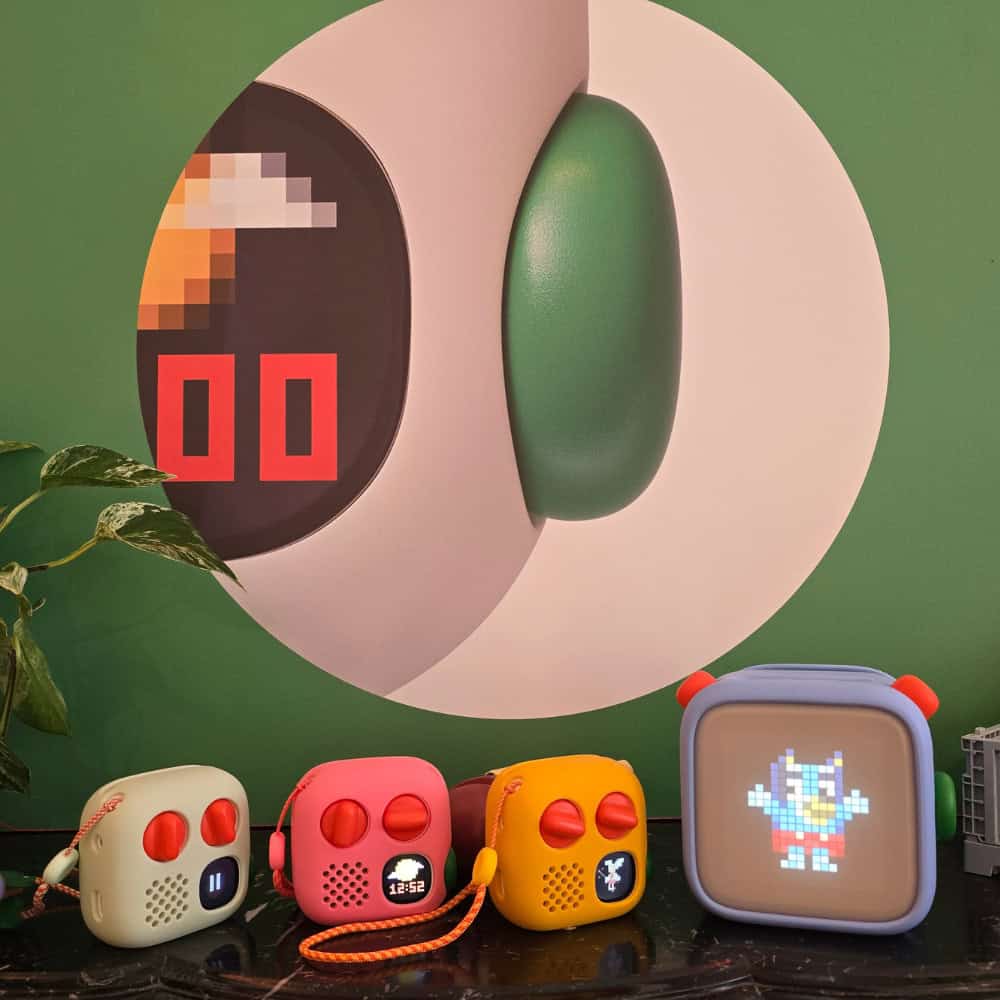
Today I headed to South Kensington for the UK launch of the new Yoto Player 4th Gen and Yoto Mini 4th Gen, where I heard directly from Yoto’s founders about the thinking behind their biggest hardware update yet. I was also able to see both players up close, try out the new features for myself and get a much better feel for what has actually changed.
If your family already owns a Yoto, you’re probably wondering whether the 4th Generation offers enough to make upgrading worthwhile. And if you’ve been thinking about buying your first Yoto, the arrival of two new players brings another decision: should you choose the full-size Yoto Player 4th Gen or the smaller, more portable Yoto Mini 4th Gen?
Having tried them both at the launch, my first impression is that Yoto hasn’t tried to reinvent something that families already love. Instead, the 4th Gen feels like a thoughtful evolution, with changes designed to give children more independence, make the players easier to incorporate into everyday family routines and improve the experience both at home and on the go.
So rather than simply running through a list of technical specifications, I’m going to look at the changes from a parent’s perspective: what’s genuinely useful, what’s different between the two new players and whether I think existing Yoto families need to rush out and upgrade.
What’s new with Yoto 4th Gen?
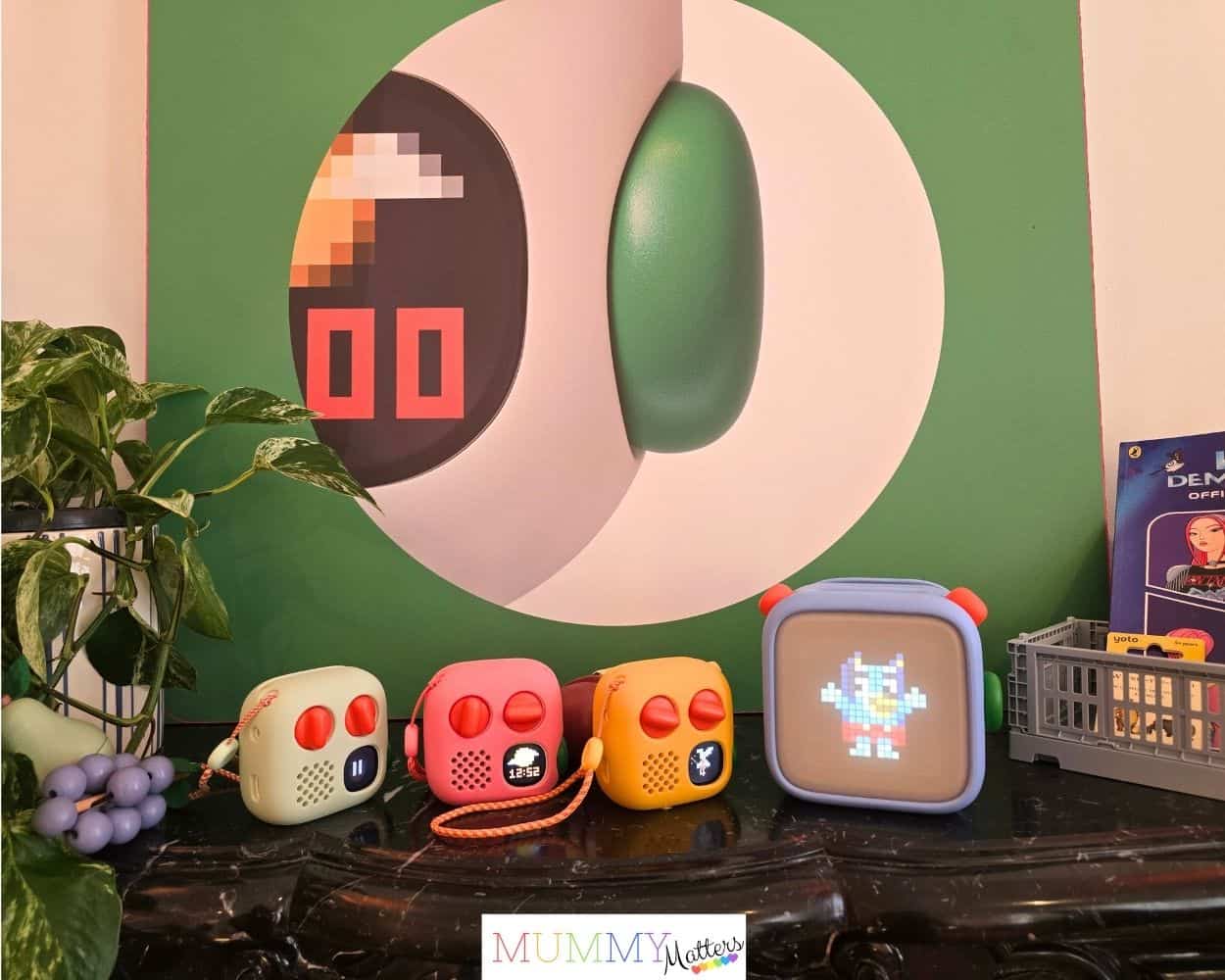
At first glance, the new Yoto Player and Yoto Mini still feel reassuringly familiar. Children can continue choosing a Yoto Card, popping it into the player and listening independently, which has always been such a big part of Yoto’s appeal. The 4th Generation hasn’t moved away from that simple, screen-free experience; instead, most of the changes are designed to make it quicker, more flexible and better suited to the way families use their players throughout the day.
Both models now have 64GB of storage, enough for up to 1,000 hours of downloaded audio, alongside a faster processor, increased memory and upgraded connectivity. The Yoto Player 4th Gen has also gained a redesigned full-panel night light, while the Yoto Mini 4th Gen has been made considerably tougher for taking out and about, with an IP67 water- and dust-resistant design.
The biggest change you’ll actually notice when looking at either player, though, is the new Green Button. This gives children another way to reach the stories, music and other audio they love without having to find the corresponding Yoto Card first. Having seen how it works at the launch, I think this is potentially one of the most useful additions for everyday family life.
Check out the Yoto Player 4th Generation
Check out the Yoto Mini Player 4th Generation
The new Green Button makes favourites easier to find
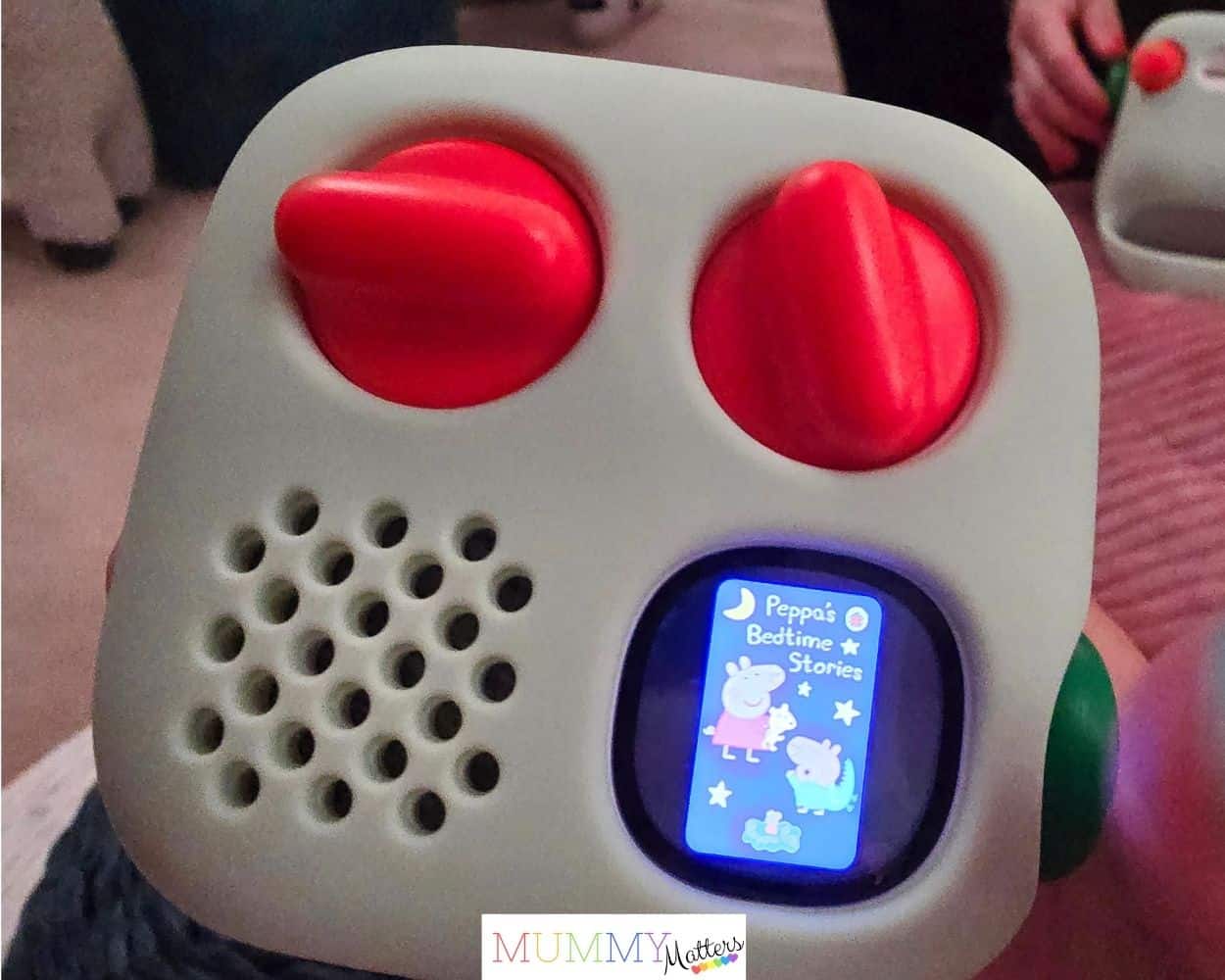
One of the biggest additions to both Yoto 4th Gen players is the new Green Button, which gives children instant access to some of their favourite audio without needing to insert a Yoto Card. Parents set everything up through the Yoto App, creating Day and Night playlists containing up to 20 titles that children can then browse by twisting the Green Button and select by pressing it.
What makes this particularly useful is that the playlist isn’t restricted to the physical Yoto Cards you own. You can also include compatible digital content from your library and some of Yoto’s free audio, which means things such as soundscapes, timers and other useful content can be made accessible directly from the player.
As a parent, I can immediately see the appeal. Once a child’s Yoto collection starts growing, keeping track of every card isn’t always easy, particularly when a favourite has been left in the car, taken to a grandparent’s house or simply disappeared somewhere in their bedroom. The Green Button doesn’t replace the cards or take away the enjoyment of physically choosing one; it simply gives children another way to independently reach the things they listen to most.
I also like the fact that Yoto has kept the controls very simple. Children don’t need to navigate complicated menus to find their playlist, so it still feels in keeping with the independence and simplicity that made Yoto appealing in the first place.
Making mornings and bedtimes a little easier
One of the things that interested me most at the launch was how Yoto is thinking beyond simply giving children something to listen to. The new Day and Night options make it possible to create quite different experiences depending on the time of day, which could be particularly useful for families trying to establish more predictable morning and bedtime routines.
For the morning, you might add Yoto Daily, a toothbrush timer, some upbeat music or a BrainBots title to the Day playlist. Instead of repeatedly reminding children what they should be doing next, familiar audio can become part of the rhythm of getting ready for school. At night, the playlist can switch to favourite bedtime stories, lullabies, white noise or Yoto Sleep Radio, helping to create a clear transition from the busyness of the day towards sleep.
The Yoto Player 4th Gen takes this a step further with its new full-panel night light. Parents can choose from seven colours and use the light to create bedtime and Okay-to-Wake cues, so younger children have a simple visual indication of when it is time to settle down and when morning has officially begun.
I can see this being particularly helpful for children who respond well to consistency and visual or audio cues. We’ve seen how predictable routines can help children feel safer and less anxious, and having familiar sounds, stories and lighting as part of the evening routine could provide another reassuring cue that bedtime is approaching. Every child is different, of course, and no gadget is going to magically transform a difficult bedtime, but using the same sounds, stories and lighting each evening can help make the sequence of events more predictable. I like that the technology sits quietly in the background rather than asking a child to interact with another conventional screen.
Yoto has also said that future free software updates will introduce dynamic lighting effects that respond to what children are listening to. I’m interested to see how that develops, although for me the practical bedtime and Okay-to-Wake functions are probably more valuable to parents than the novelty of additional lighting effects.
Yoto Player 4th Gen vs Yoto Mini 4th Gen
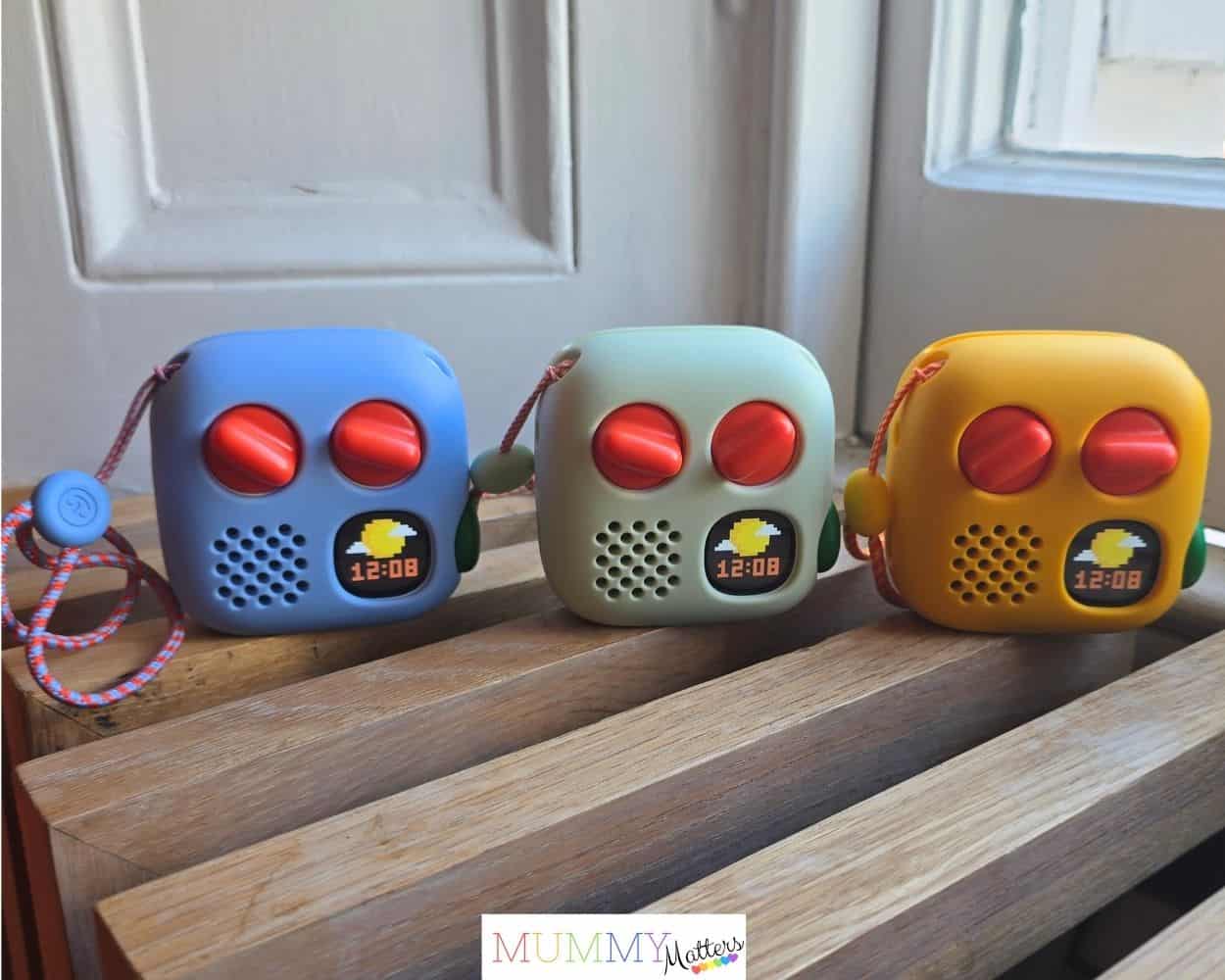
If you’re buying your first Yoto, deciding between the full-size Player and the Mini probably matters more than knowing which processor is inside. Both offer the core Yoto experience and many of the same 4th Gen upgrades, but they’re designed for slightly different situations. The Yoto Player 4th Gen feels much more at home in a child’s bedroom or family space, while the Mini is designed to be picked up and taken wherever the day leads.
| Feature | Yoto Player 4th Gen | Yoto Mini 4th Gen |
|---|---|---|
| Price | £119.99 | £89.99 |
| Best suited to | Home, bedrooms and routines | Travel and listening on the go |
| Storage | 64GB / up to 1,000 hours | 64GB / up to 1,000 hours |
| Green Button | Yes | Yes |
| Day & Night playlists | Yes | Yes |
| Night light | Full-panel, 7 colours | No full-panel night light |
| Okay-to-Wake | Yes | No |
| Water & dust resistance | — | IP67 |
| Connectivity | Wi-Fi 6 / Bluetooth 6.1 | Upgraded connectivity |
| My pick for | Bedtime and everyday home use | Holidays, car journeys and days out |
The good news is that choosing the Mini doesn’t mean missing out on the headline 4th Gen feature. Both players have the new Green Button and 64GB storage, so the decision is really about how and where your child is most likely to use their Yoto.
If you’re looking for something that will become part of bedtime, morning routines and everyday listening at home, I think the Yoto Player 4th Gen makes the most sense. If you want something your child can easily carry between home, the car, holidays and grandparents’ houses, the Yoto Mini 4th Gen is likely to be the better fit. Audio can be a great way of keeping children entertained on a family road trip without automatically reaching for a tablet or phone, and the Mini is small enough to pack into a child’s travel bag. Its new IP67 water- and dust-resistant design makes that argument even stronger, because portable children’s technology inevitably has to cope with a few bumps, spills and adventures along the way. Its new IP67 water- and dust-resistant design makes that argument even stronger, because portable children’s technology inevitably has to cope with a few bumps, spills and adventures along the way.
Will my existing Yoto Cards work with Yoto 4th Gen?
If you’ve already built up a collection of Yoto Cards, you won’t need to start again with the 4th Generation players. Almost all existing Yoto Cards are compatible with the Yoto Player 4th Gen and Yoto Mini 4th Gen, so children can continue using the stories, music and other audio they already know and love.
When a card is played for the first time on a new player, the Yoto will need to be connected to Wi-Fi so the audio can download. Once downloaded, that content can then be available for offline listening, which is particularly useful if you’re planning to take a Yoto Mini on car journeys, camping trips or holidays where Wi-Fi might not always be reliable.
There is one caveat worth knowing before upgrading. At launch, interactive card compatibility isn’t yet available on the new 4th Gen platform, although Yoto says this functionality is coming. If your child regularly uses interactive Yoto content, I would check the latest compatibility information before replacing an existing player.
For me, the important thing is that Yoto hasn’t made families’ existing card collections redundant. The Green Button adds another way to access favourite content, but the physical cards remain a central part of the experience, which means children can carry on choosing and playing their cards in the familiar way.
Should I upgrade from Yoto 3rd Gen to Yoto 4th Gen?
If you already have a Yoto Player or Yoto Mini that your child happily uses, I don’t think the arrival of the 4th Gen means you suddenly need to replace it. That’s perhaps the most important point to make when comparing Yoto 3rd Gen vs 4th Gen: the basic experience children love hasn’t changed. They can still choose a card, pop it into their player and listen independently, and your existing card collection hasn’t become obsolete.
Where upgrading becomes more tempting is if the new features solve a particular problem for your family. If your child has built up a large Yoto library and regularly returns to the same favourites, the Green Button could make those much easier to access. Families who use Yoto as part of bedtime and morning routines may get more value from the redesigned night light and Day and Night options on the full-size Player, while the Mini’s IP67 water- and dust-resistant design is a significant practical improvement if yours spends much of its life travelling around with your child.
The faster processor, increased memory, improved connectivity and 64GB storage are all welcome upgrades too, particularly for families with large libraries, but I wouldn’t personally replace a perfectly good Yoto solely because the specification numbers have increased.
If your current player is getting older, damaged or struggling to keep up with the way your family now uses Yoto, moving to the 4th Gen becomes much easier to justify. Equally, if you’re buying your family’s first Yoto, I would choose one of the new 4th Generation models unless you find a particularly good deal on an older generation and don’t feel you need the new features.
Ultimately, I think Yoto has handled this update quite well. There are meaningful improvements for families buying now, without making existing owners feel as though the Yoto they already have needs to be immediately replaced. For parents, that distinction matters – especially when children’s technology can become expensive very quickly.
Yoto 4th Gen price and UK availability
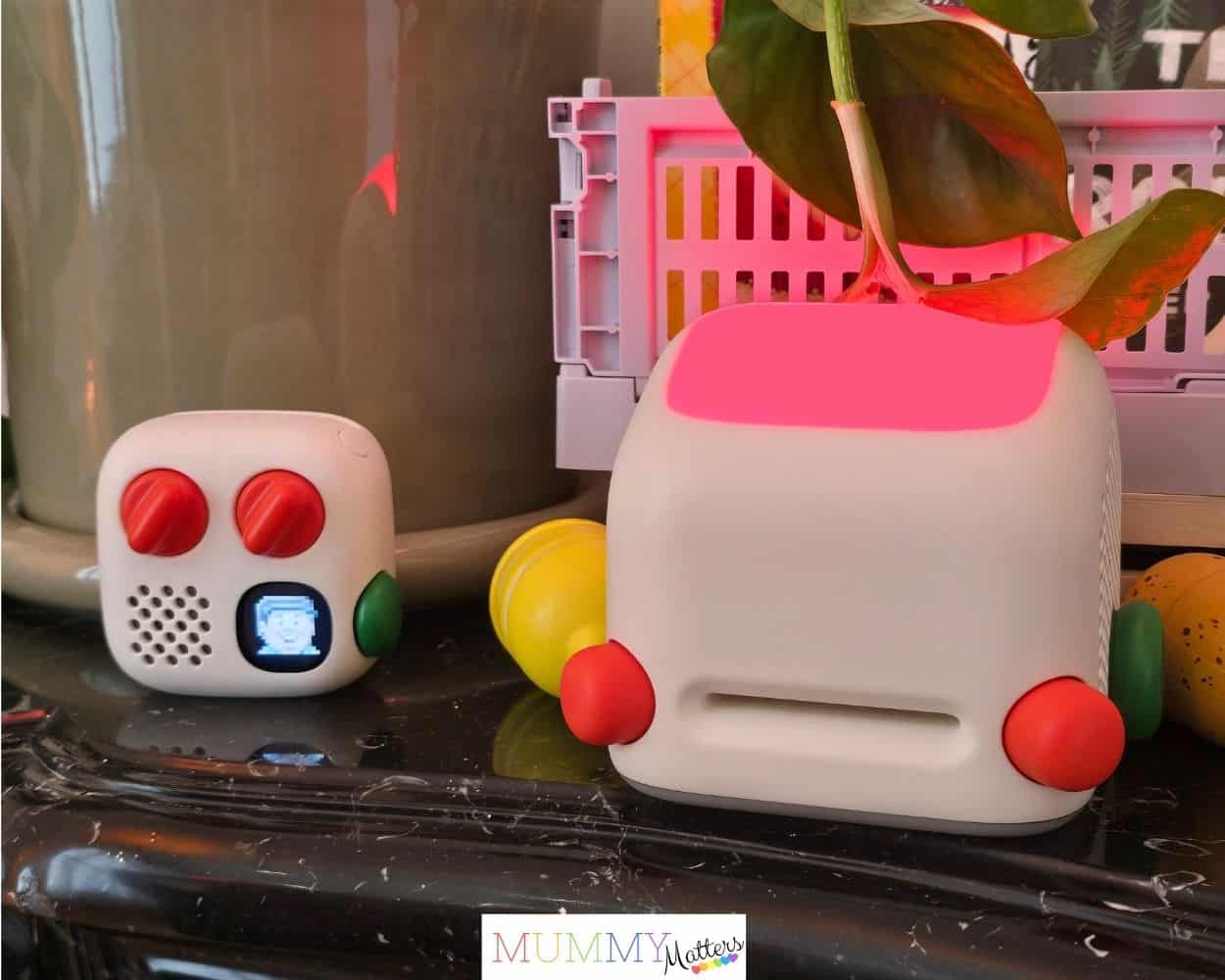
Both new players are available to pre-order in the UK from 10 September 2026. The Yoto Player 4th Gen costs £119.99, with an estimated dispatch date of 15 October 2026, while the Yoto Mini 4th Gen costs £89.99 and is expected to begin dispatching slightly earlier, from 30 September 2026.
Both players come with a free Make Your Own Card and stickers, which is a nice way for children to start creating their own Yoto content. There is also some digital audio included: Yoto Player 4th Gen owners receive 5 Minute Stories From Around the World, while the Yoto Mini 4th Gen comes with Journey Jams. These will appear in the Yoto App after set-up and can be added to the new Green Button playlists.
Yoto has refreshed its accessories for the new generation too. The silicone Adventure Jackets are available in four new colourways, with the Mini version now including a wrist lanyard. The updated Yoto Travel Case has also been designed to fit both generations of Yoto Mini, with room for over-ear headphones and up to 30 Yoto Cards.
One thing worth remembering when budgeting for your first Yoto is that the player itself is only part of the potential cost. You may eventually want additional cards, headphones, an Adventure Jacket or a travel case, so I’d think about which accessories your child will genuinely use rather than feeling you need to buy everything at once.
My first impressions from the Yoto 4th Gen launch
One of the advantages of being able to see the new players in person rather than simply reading about the specifications was getting a feel for the smaller design changes. I really liked the look of both new models, but the rounded edges of the Yoto Mini 4th Gen particularly stood out to me. It feels more child-friendly and comfortable for little hands to hold, which makes sense for a player that’s designed to be carried around on adventures.
The new Adventure Jacket colours are lovely too and give the players a much fresher look. On the full-size Yoto Player, I was particularly impressed by the larger night-light panel. It’s one of those changes that makes much more sense when you see it in person, and I can imagine it becoming a lovely part of a younger child’s bedtime routine.
My favourite addition, though, has to be the Green Button. I already liked the idea when it was explained to us, but seeing how it works made me appreciate just how much independence it could give a child. They don’t have to carry a whole collection of cards around with them or ask a parent to find something and play it through the app; their chosen favourites can already be there waiting for them. For me, that feels very true to what Yoto is about – allowing children to be in charge of their own listening experience.
The launch itself was held across 35 Thurloe Place and Cromwell Place in South Kensington, which provided a very cool setting for discovering the new generation. It was lovely to meet Yoto’s two creators and hear more about how the players have evolved, but the event wasn’t all product demonstrations. There was a delicious selection of food, some very yummy cocoa and, upstairs, a gorgeous dream tent that fitted perfectly with Yoto’s bedtime theme.
We also got to meet Jake from the Yoto Podcast and have a go at Chocolate or Cheese, which added a bit of fun to the day. It was a really enjoyable way to discover the new players and, more importantly for me, gave me the opportunity to actually see and try some of the features before deciding what I thought parents would find most useful.
My verdict: is Yoto 4th Gen worth it?
Having seen and tried the new Yoto Player 4th Gen and Yoto Mini 4th Gen at the UK launch, I came away feeling that Yoto has made some genuinely useful improvements without losing the simplicity that made the players appealing to families in the first place.
For me, the Green Button is the standout addition. Giving children quick access to their own selection of favourites without needing to find a particular card or ask a parent to control things through the app feels like a natural extension of Yoto’s focus on independent listening. I also really like the more child-friendly shape of the Mini, its improved durability and the larger night-light panel on the full-size Player.
Would I rush to replace a perfectly good previous-generation Yoto? Probably not. But if I were buying my family’s first Yoto today, I would definitely choose one of the new 4th Gen models. Likewise, if an older player needed replacing, the additional storage, improved hardware and new features would make the latest generation the obvious place to start.
What I particularly liked about hearing from Yoto’s founders at the launch was the sense that the changes have come from watching how families actually use their players. The cards haven’t disappeared, children still don’t need to navigate a conventional screen, and the basic idea remains wonderfully simple: give children the freedom to choose what they want to listen to.
The 4th Generation doesn’t try to turn Yoto into something completely different. It simply gives children a little more independence and parents a few more useful tools – and after seeing it for myself, I think that’s exactly the right direction for Yoto to take.
Frequently asked questions about Yoto 4th Gen
When is Yoto 4th Gen being released in the UK?
Both new Yoto 4th Gen players are available to pre-order from 10 September 2026. The Yoto Mini 4th Gen has an estimated dispatch date of 30 September 2026, while the Yoto Player 4th Gen is expected to begin dispatching from 15 October 2026.
How much does the Yoto 4th Gen cost?
The Yoto Player 4th Gen costs £119.99 in the UK, while the smaller Yoto Mini 4th Gen costs £89.99.
Will old Yoto Cards work with Yoto 4th Gen?
Almost all existing Yoto Cards will work with the Yoto Player 4th Gen and Yoto Mini 4th Gen, so families won’t need to replace their existing card collections. Interactive card compatibility isn’t available on the new platform at launch, however, with Yoto saying this functionality will be added in the future.
What’s the Green Button on Yoto 4th Gen?
The new Green Button allows parents to set up Day and Night playlists containing up to 20 favourite titles through the Yoto App. Children can then twist and press the Green Button to choose something to listen to without inserting a physical Yoto Card or asking a parent to find it in the app.
Is it worth upgrading from Yoto 3rd Gen to 4th Gen?
If your existing Yoto works well and your child is happy with it, I don’t think you need to upgrade simply because a new generation has arrived. The 4th Gen becomes more appealing if your family would benefit from features such as the Green Button, increased 64GB storage, the Player’s redesigned night light or the Mini’s IP67 water- and dust-resistant design. For families buying their first Yoto, I would choose one of the new 4th Gen models.